
We all know that sinking feeling when the screen freezes right at the climax of a movie. You settle in for a relaxing night, only to have your entertainment interrupted by constant loading circles. It is incredibly frustrating when your favorite show stops just as the plot thickens.
Our goal is to help you reclaim your downtime by solving these common playback issues. We understand that a reliable iptv service is essential for modern households that depend on digital content. By exploring the technical foundations of high-quality iptv streaming, we can identify why your connection might falter.

Addressing the root causes of iptv buffering allows you to take full control of your home setup. We provide actionable advice to ensure your viewing experience remains consistent and crisp every single day. Let us walk you through the steps to restore your peace of mind and enjoy uninterrupted media.
Key Takeaways
- Identify the primary causes of connection drops during playback.
- Optimize your home network settings for better data flow.
- Learn how to troubleshoot hardware issues effectively.
- Understand the importance of stable internet speeds for high-definition content.
- Implement simple maintenance habits to keep your media running smoothly.
Understanding the Causes of IPTV Buffering
When your stream starts to stutter, it is usually due to one of three primary technical factors. Identifying these bottlenecks is the first step toward achieving a more stable and enjoyable viewing experience. By pinpointing the source of your iptv buffering, you can take targeted action to restore your service.
Network Congestion and Bandwidth Limitations
Most buffering issues arise from local network congestion. When multiple devices in your home compete for the same internet connection, your streaming device may not receive the data speed required for high-definition content.
Furthermore, your Internet Service Provider (ISP) might throttle traffic during peak hours. This intentional slowdown directly impacts your iptv quality, leading to frequent pauses as the player struggles to download the next segment of the video.
Hardware Limitations and Device Performance
Even with a fast internet connection, your hardware plays a critical role in playback stability. Older streaming sticks or smart TVs often lack the processing power or memory needed to decode modern video streams efficiently.
If your device is running low on internal storage or has too many background apps open, it will struggle to maintain a smooth stream. Upgrading your hardware or clearing system resources can often resolve these persistent buffering issues effectively.
Server-Side Issues and Provider Reliability
Sometimes, the problem lies entirely outside of your home network. If your provider experiences server instability or high traffic volume, you will encounter iptv buffering regardless of your own internet speed.
These interruptions are beyond your local control and typically indicate that the provider’s infrastructure is struggling to deliver content to all users simultaneously. Choosing a service with robust delivery systems is essential for maintaining consistent iptv quality throughout your subscription.
Optimizing Your Home Network for Better Streaming
Building a robust home network is the most effective way to eliminate playback interruptions. When we focus on our local infrastructure, we create a stable environment that supports high-definition iptv streaming without constant pauses.
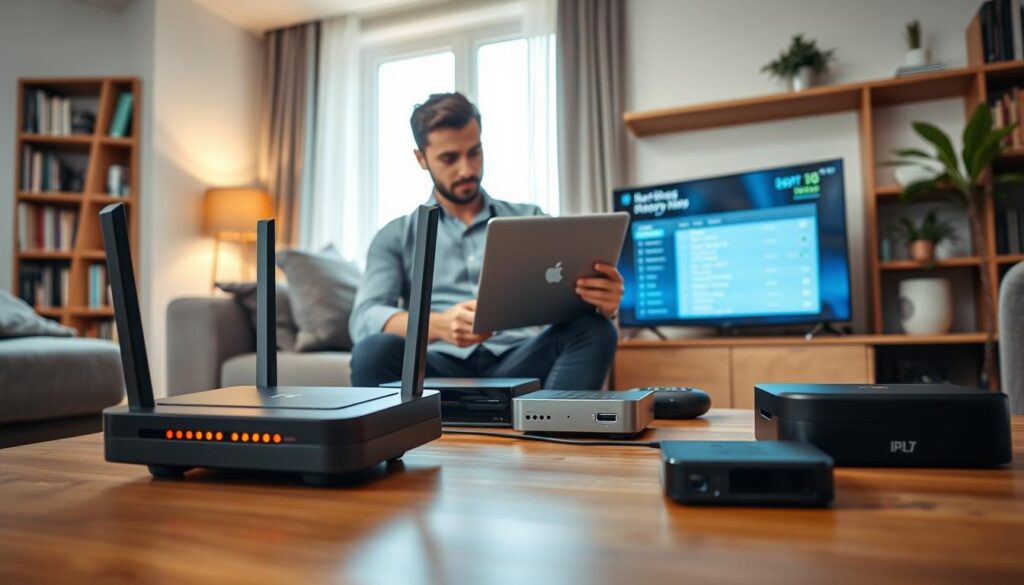
Testing Your Internet Connection Speed
Before making hardware changes, we must verify that our current bandwidth meets the requirements for high-quality video. Running a speed test provides a clear picture of our actual download capacity versus what we pay for from our service provider.
We recommend using reliable, independent testing tools to get an accurate reading. If your results show significant fluctuations, you may need to contact your ISP to address potential line issues or iptv buffering solutions that require external intervention.
Switching from Wi-Fi to Ethernet Connections
Wireless signals are often prone to interference from walls, appliances, and neighboring networks. By switching to a wired Ethernet connection, we provide a direct, consistent path for data to reach our streaming devices.
This simple physical upgrade is one of the most reliable ways to improve iptv streaming quality. A stable cable connection removes the latency spikes that typically cause video to stutter during peak usage hours.
Configuring Router Settings for Media Traffic
Modern routers often include Quality of Service (QoS) settings that allow us to prioritize specific types of traffic. By assigning higher priority to our streaming devices, we ensure that our media packets receive preference over less critical background data.
This configuration prevents other devices on the network from hogging bandwidth during your favorite shows. Taking the time to adjust these settings creates a smoother, more responsive experience for everyone in the household.
| Connection Type | Stability Level | Latency Impact | Best For |
|---|---|---|---|
| Ethernet (Wired) | Excellent | Very Low | 4K Streaming |
| 5GHz Wi-Fi | Good | Moderate | HD Streaming |
| 2.4GHz Wi-Fi | Fair | High | General Browsing |
Device Maintenance and Software Adjustments
If you notice your streams stuttering, your device might simply need a bit of digital housekeeping. Maintaining your streaming hardware is a critical step in achieving a seamless viewing experience and serves as a primary pillar of effective iptv troubleshooting. By keeping your system clean, you prevent software-related bottlenecks that often lead to frustrating playback interruptions.
Clearing Cache and Data on Streaming Apps
Over time, streaming applications accumulate temporary files that can slow down performance. Clearing the cache is one of the most reliable iptv buffering solutions available to users. This process removes junk data without deleting your login credentials or personal settings.
To perform this, navigate to your device settings, locate the “Applications” menu, and select your streaming app. Choose the “Clear Cache” option to refresh the application’s temporary storage. If issues persist, you may need to “Clear Data,” though this will reset the app to its original state.
Updating Firmware and Application Versions
Keeping your firmware and application versions updated ensures full compatibility with the latest streaming protocols. Developers frequently release patches that fix known bugs and improve overall stability. Always check for system updates in your device settings to ensure you are running the most efficient software version.
“A well-maintained device is the foundation of a high-quality digital entertainment experience. Regular updates are not just about new features; they are about maintaining the integrity of your connection.”
Managing Background Processes on Android TV and Firestick
Background processes can consume valuable system resources, leaving less power for your video stream. On devices like Android TV and Firestick, you can manually close unused apps to free up memory. This simple habit ensures your processor focuses entirely on delivering smooth, high-definition content.
| Maintenance Task | Frequency | Primary Benefit |
|---|---|---|
| Clear App Cache | Weekly | Reduces stuttering |
| Update Firmware | Monthly | Improves compatibility |
| Close Background Apps | Daily | Frees system RAM |
By consistently applying these maintenance steps, you create a more responsive interface. Proper device management is essential for anyone seeking long-term iptv troubleshooting success and reliable performance.
Advanced Troubleshooting for IPTV Buffering
For those who have tried basic steps without success, these professional-grade strategies offer a path to smoother viewing. When you face persistent buffering issues, it is time to look beyond standard connection checks. Effective iptv troubleshooting often requires a deeper dive into how your data travels across the web.
Utilizing a Reliable VPN Service
Many internet service providers in the United States intentionally slow down high-bandwidth traffic. This practice, known as throttling, is a common cause of playback interruptions. By using a reliable VPN service, you can encrypt your traffic and hide your activity from your provider.
This simple step prevents your ISP from identifying your media streams as high-bandwidth data. Consequently, you can often bypass artificial speed limits and improve iptv streaming performance significantly.
Adjusting Buffer Size Settings in IPTV Players
Most modern streaming applications allow you to customize how much data is pre-loaded before playback begins. If your internet speed fluctuates, increasing the buffer size can provide a cushion against drops in bandwidth. You can usually find these settings within the advanced or playback menu of your preferred application.
We recommend testing different values to find the right balance for your specific connection. A larger buffer helps maintain a steady stream, even if your network experiences brief moments of instability.
Changing DNS Servers for Improved Latency
Your default DNS settings are often assigned by your ISP and may not be optimized for speed. Switching to a faster, public DNS provider can reduce the time it takes for your device to locate and connect to your content source. This change is a highly effective part of iptv troubleshooting that many users overlook.
By reducing latency, you ensure that your device establishes a stable connection to the server much faster. This simple configuration change can lead to a more responsive interface and fewer interruptions during your favorite shows.
Choosing a High-Quality IPTV Service
Achieving consistent, high-quality streaming starts long before you press play on your remote. Selecting the right iptv service is the most critical factor in ensuring your long-term satisfaction. When you prioritize quality, you effectively eliminate the common frustrations associated with unreliable streams.
Why Server Stability Matters for Smooth Streaming
Server stability acts as the backbone of any premium entertainment experience. When a provider maintains robust servers, they ensure that data packets reach your device without unnecessary delays or packet loss. This consistency is essential for buffer-free iptv viewing, especially during high-traffic events like live sports or season premieres.
Providers with stable infrastructure utilize advanced load balancing to distribute traffic efficiently. This prevents individual servers from becoming overwhelmed, which is a frequent cause of stuttering. By choosing a stable partner, you invest in a reliable connection that maintains high iptv quality regardless of how many other users are online.
Evaluating Provider Infrastructure and Content Delivery
To identify a top-tier provider, you must look at their underlying architecture and content delivery networks (CDNs). A professional service uses geographically distributed servers to bring content closer to your physical location. This proximity significantly reduces latency and improves the overall speed of your stream.
We recommend evaluating how a provider manages their network capacity during peak hours. A high-quality iptv service will clearly demonstrate its commitment to infrastructure by offering redundant paths for data. This approach minimizes the risk of downtime and keeps your buffer-free iptv viewing experience consistent.
| Feature | Premium Provider | Budget Provider |
|---|---|---|
| Server Uptime | 99.9% Guaranteed | Variable |
| CDN Integration | Global Network | Limited/Local |
| Load Balancing | Automated | Manual/None |
| Streaming Quality | High Bitrate | Compressed |
Subscription Plans and Service Pricing
Choosing a subscription that fits your lifestyle is the first step toward a premium viewing experience. We believe that high-quality entertainment should be both accessible and affordable for every viewer.
Our Competitive Subscription Price List
We offer a transparent pricing structure to ensure you receive the best value for your investment. Our plans are designed to accommodate different viewing habits, whether you prefer short-term access or long-term savings.
| Duration | Device Limit | Total Price |
|---|---|---|
| 1 Month | 1 Device | 20€ |
| 3 Months | 1 Device | 35€ |
| 6 Months | 1 Device | 45€ |
| 12 Months | 1 Device | 65€ |
Base Plan Details for Single Device Access
The Base Plan is specifically tailored for users who want a dedicated, high-quality stream on a single device. By choosing our annual option, you can enjoy significant savings compared to our monthly rate. This plan provides full access to our entire content library without any hidden fees or unexpected charges.
“Quality service is not just about the content provided, but the reliability and value delivered to the customer every single day.”
How to Get Started with Our Premium Service
Getting started with our service is a straightforward process designed to get you streaming as quickly as possible. Once you select the plan that best suits your needs, our team will guide you through the activation steps. We prioritize a seamless setup experience so you can begin enjoying your favorite shows immediately.
Contacting Our Support Team at +447723781927
If you have any questions regarding our plans or need assistance with your initial configuration, we are here to help. Please feel free to reach out to our dedicated support team directly at +447723781927. Our experts are ready to provide the technical guidance you need to ensure a smooth and uninterrupted streaming journey.
Conclusion
Your journey toward a superior entertainment experience starts with these simple adjustments. Maintaining a stable connection requires attention to your hardware, software, and service choices.
We believe that every viewer deserves a high-quality broadcast without interruptions. By applying these technical refinements, you secure a reliable path to buffer-free iptv viewing. Consistent performance remains our top priority for every user in the United States.
Take a moment to audit your current home setup today. Small changes to your router or device settings often yield significant improvements in picture clarity and speed. We invite you to reach out to our dedicated support team if you need personalized guidance with your subscription.
Our experts stand ready to assist you in achieving the best possible results. We remain committed to providing the tools necessary for your buffer-free iptv viewing. Enjoy your favorite content with the peace of mind you deserve.